| HDDlife version 4 - HELP FILE | HDDlife® | |
 |
||
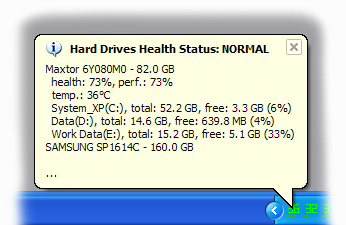
Information messagesIf you configure scheduled preventative checks on the state of your hard drives (at certain time intervals), you will see a message with the results after each check. A sample message when the health of all your disks is OK:
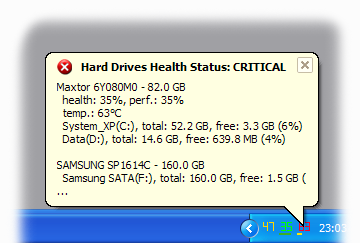
A sample message when one of your disks must be immediately replaced:
The parameters of regular checks (frequency) are set in the program settings. The professional version (HDDlife® Pro) allows you to enable displaying such a message only if the health of your hard drives is not OK. Thus, HDDlife® Pro will constantly monitor the safety of your data and disturb you only if it detects any problems. |
||
 |
||
| © 2004-2022 - BinarySense, Inc. | Find error? Write to us! | HDDlife.com |